ngbot
ngbot
The Arabic AI bot for Discord
Your server's knowledge, one ask away.
Add your server's rules and FAQs so ngbot can use them to answer members in Arabic and English.
Start free. No credit card required.
Helpful answers. Easier management.
ngbot is an Arabic Discord bot that answers your members from your server's rules and FAQs, in Arabic and English, and brings moderation, levels, welcome messages and tickets together in the same bot.
Answers from your server's own information
Add your server's rules and FAQs, and ngbot uses them to answer your members' questions.
A real recording from a demo server: a question with /ask, answered by ngbot from the information added to that server.
Knowledge tools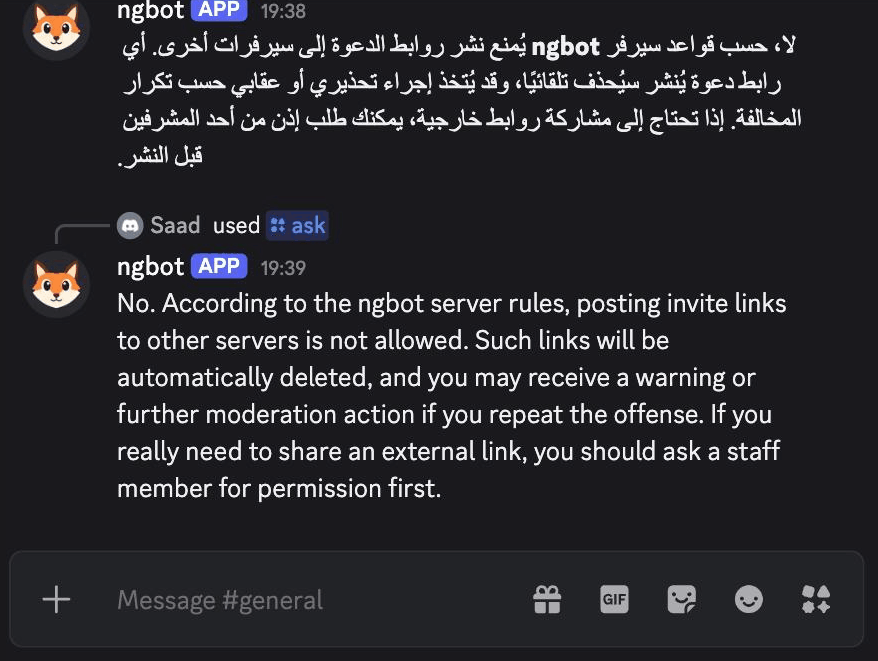
Moderation with a clear log
Filters spam and invite links, and records every action in a log you can review. AI toxicity detection is available on paid plans.
A real capture from a demo server: a member posted an invite link, it was deleted and logged, and the member was muted because it was their third offence.
Moderation tools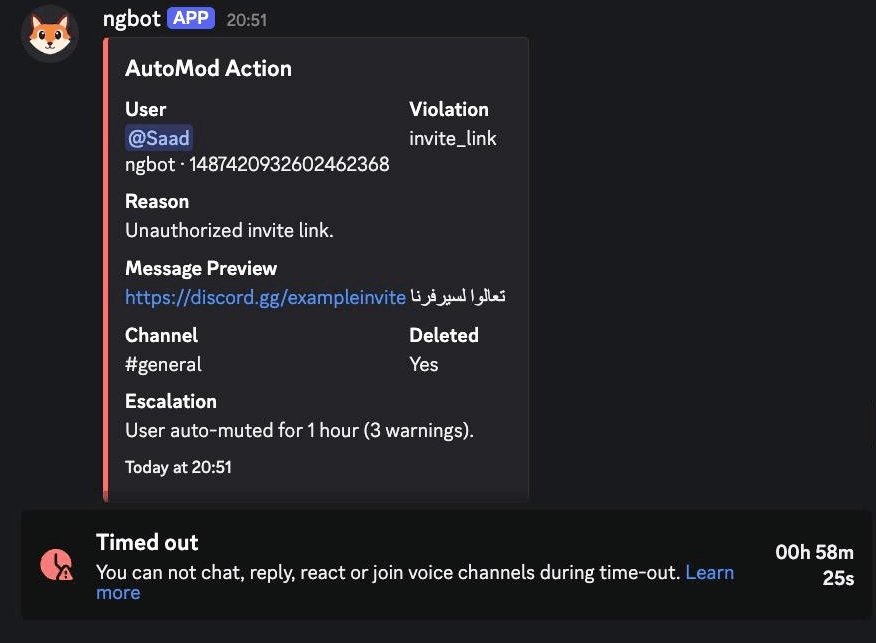
Welcome, levels and tickets
A welcome message for new members, XP and levels for active ones, and support tickets your team tracks from the dashboard.
A real capture from a demo server: a member's rank card after /rank, with the XP they earned by taking part in the chat.
Community tools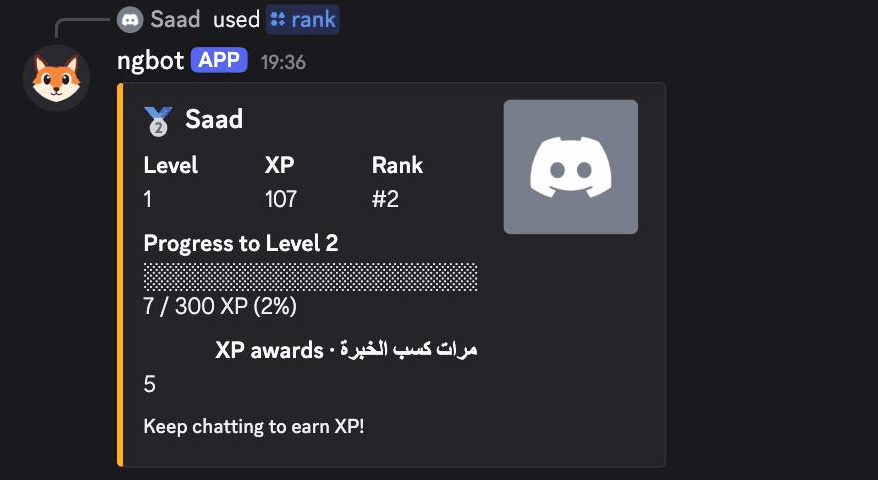
Start free. Choose what fits your community.
Each subscription covers one server, not one member.
Free
For small communities getting started.
- AI replies
- 50 per month
- Knowledge sections
- 25
Includes:
- Standard moderation
- Levels and welcome messages
- Tickets and reaction roles
- Custom commands
- Your own bot name
Unlocks the AI tools
Pro
For growing communities.
- AI replies
- 1,000 per month
- Knowledge sections
- 500
Everything in Free, plus:
- AI moderation
- Automatic ticket triage
- Community activity insights
- On-demand channel summaries
- Welcome card with your background
- Custom bot avatar and banner
Premium
For large, very busy servers.
- AI replies
- 3,000 per month
- Knowledge sections
- 5,000
All Pro tools included
- AI moderation
- Automatic ticket triage
- Community activity insights
- On-demand channel summaries
- Welcome card with your background
- Custom bot avatar and banner
You can upgrade from the dashboard after adding the bot.
Frequently asked questions
How do I get started?
Does it understand Arabic dialects?
How does the knowledge base work?
Why does it ask for these permissions?
What happens when the plan allowance runs out?
Is the subscription per server, and how is it cancelled?
Your community's knowledge, within reach.
Start free. No credit card required.